
Deployment
Cloudflare Pages is a great way to host websites. This doc mainly introduce how to host your doc site with Cloudflare Pages in 3 minutes.
Deploy to Cloudflare Pages
Prerequisites
Register a Cloudflare account, free plan is enough for most cases.
Then goto Cloudflare Dashboard, you could also buy domains to host your websites in Cloudflare.
Create App
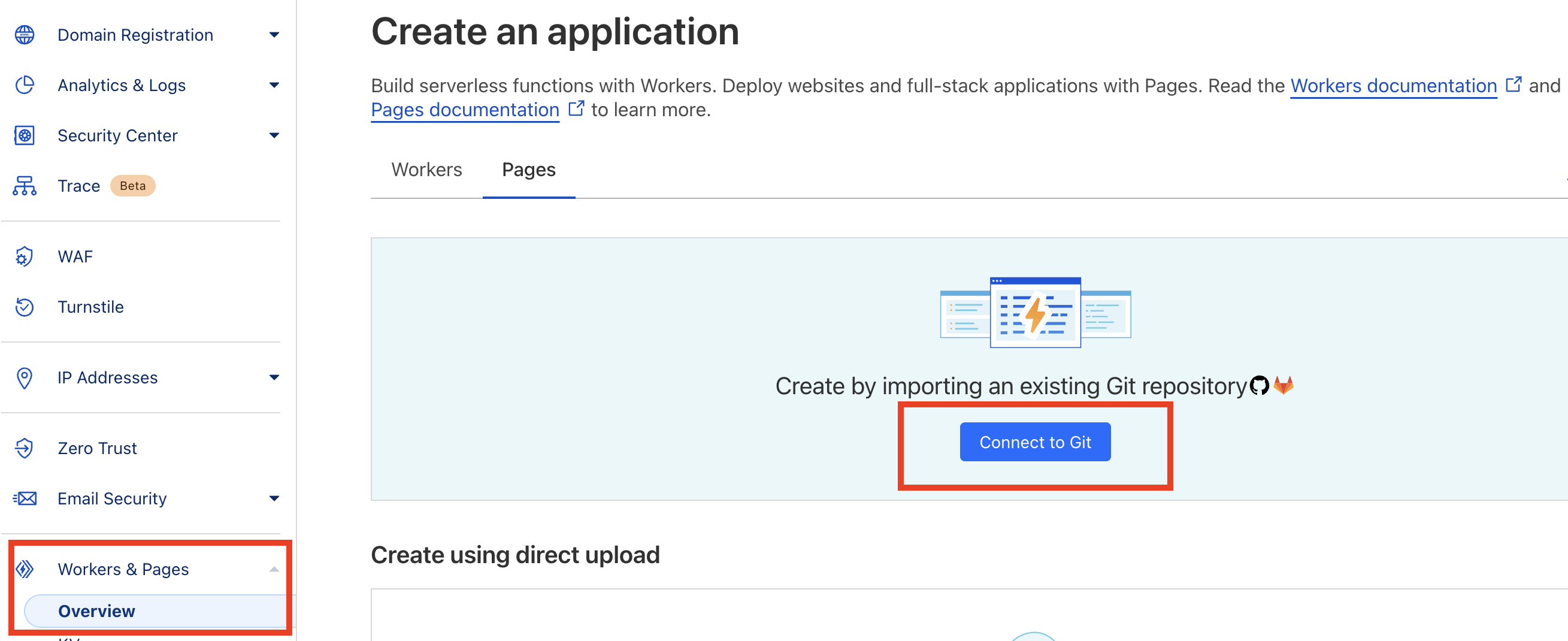
Goto Workers & Pages menu, select Create application > Pages > Connect to Git.
Follow the wizard and configure the build/deploy pipeline, just need to change a few fields like following.
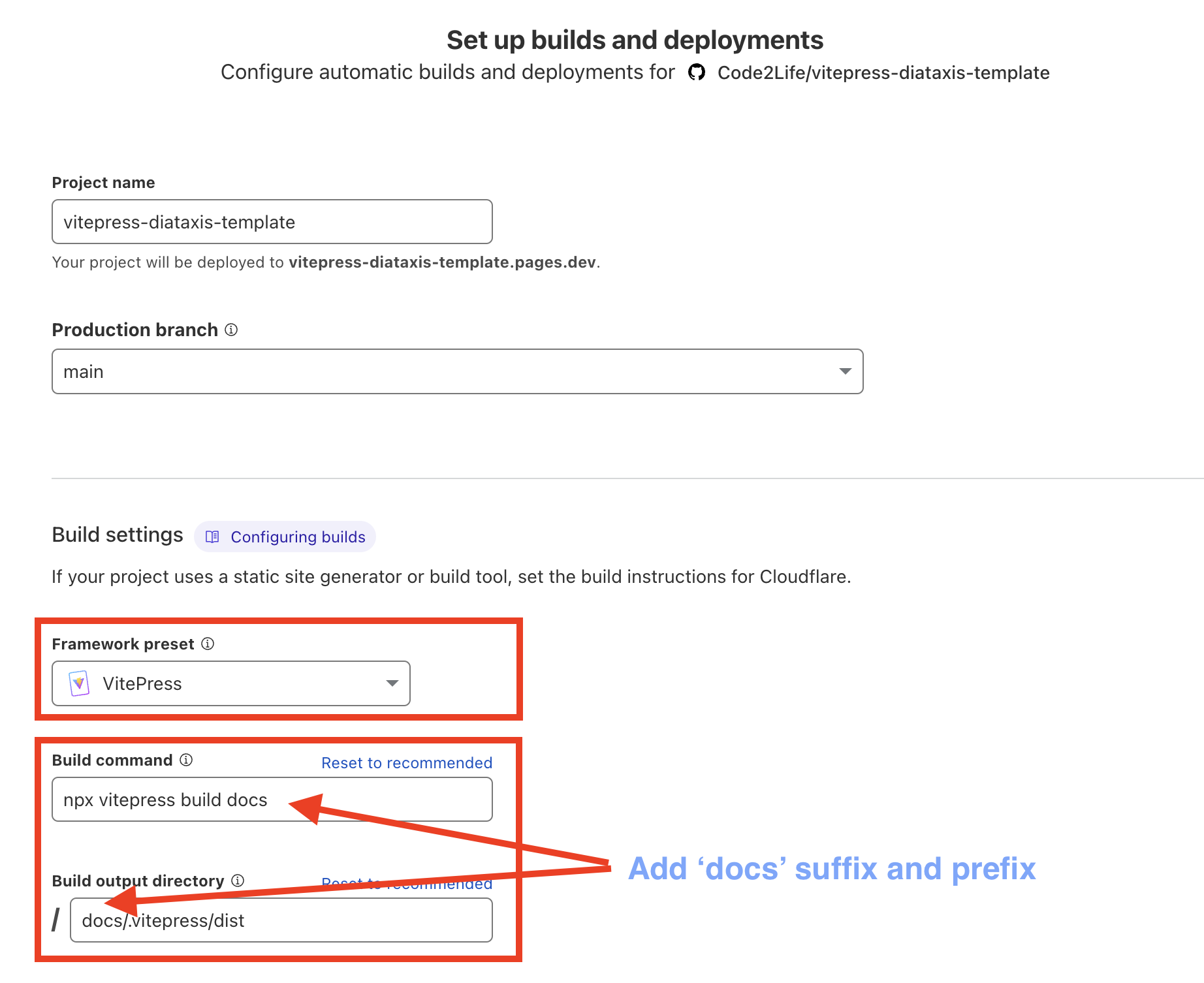
Refer this doc for more details
Setup Custom Domain
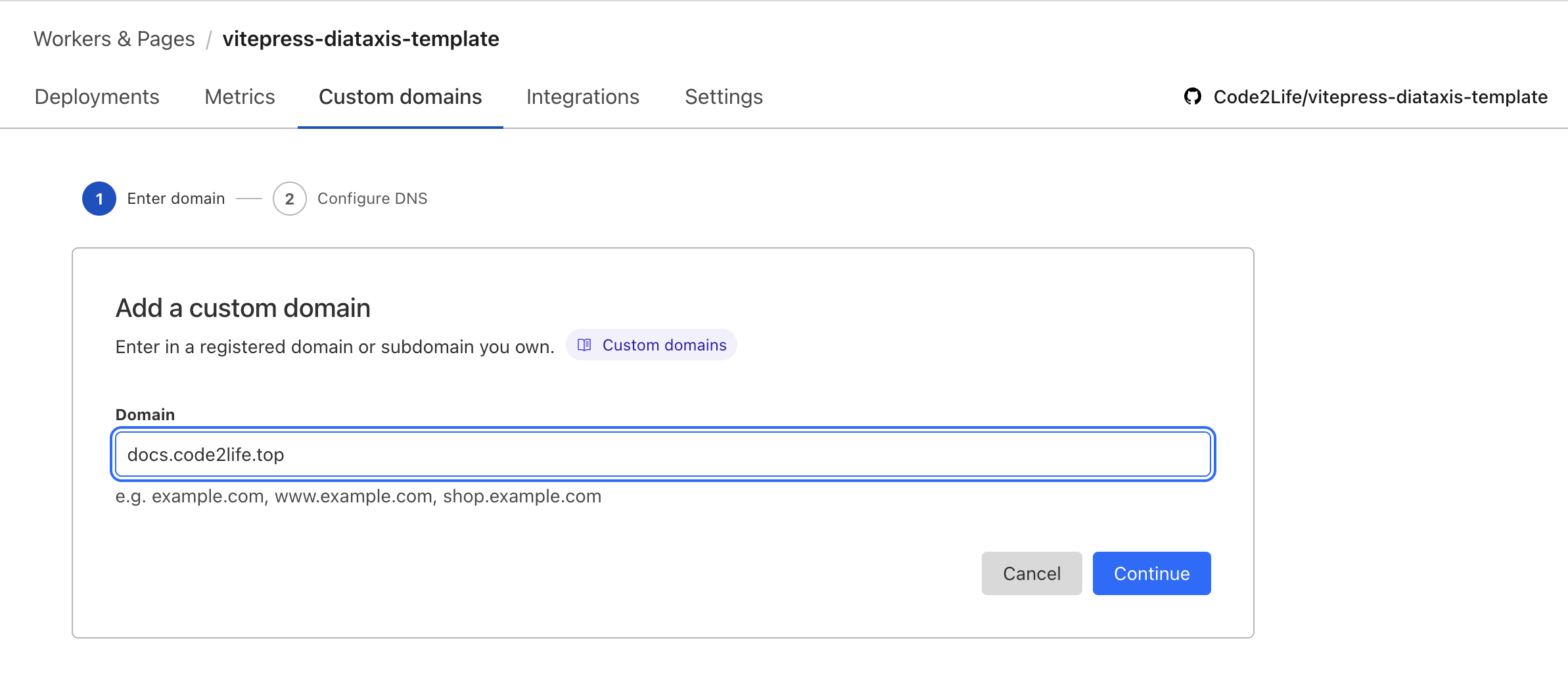
Configure custom domain if you've bought or onboarded domain into cloudflare, input your domain and it will work automatically after 1 minute, HTTPS certificate will also be auto issued and auto rotated.
Deploy to your own servers
If you wanna self-host the website rather than using Cloudflare, you need to configure CI/CD pipelines by your own.
Firstly run build command to generate dist folder.
# build the dist folder which contains all site static assets
npm run buildThen copy the docs/.vitepress/dist folder to web servers like Nginx.
Finally configure domains, TLS certificates, web server ports and configs for the vendor you've chosen.